Best SoCs for Video Intercom and Access Control Terminals#
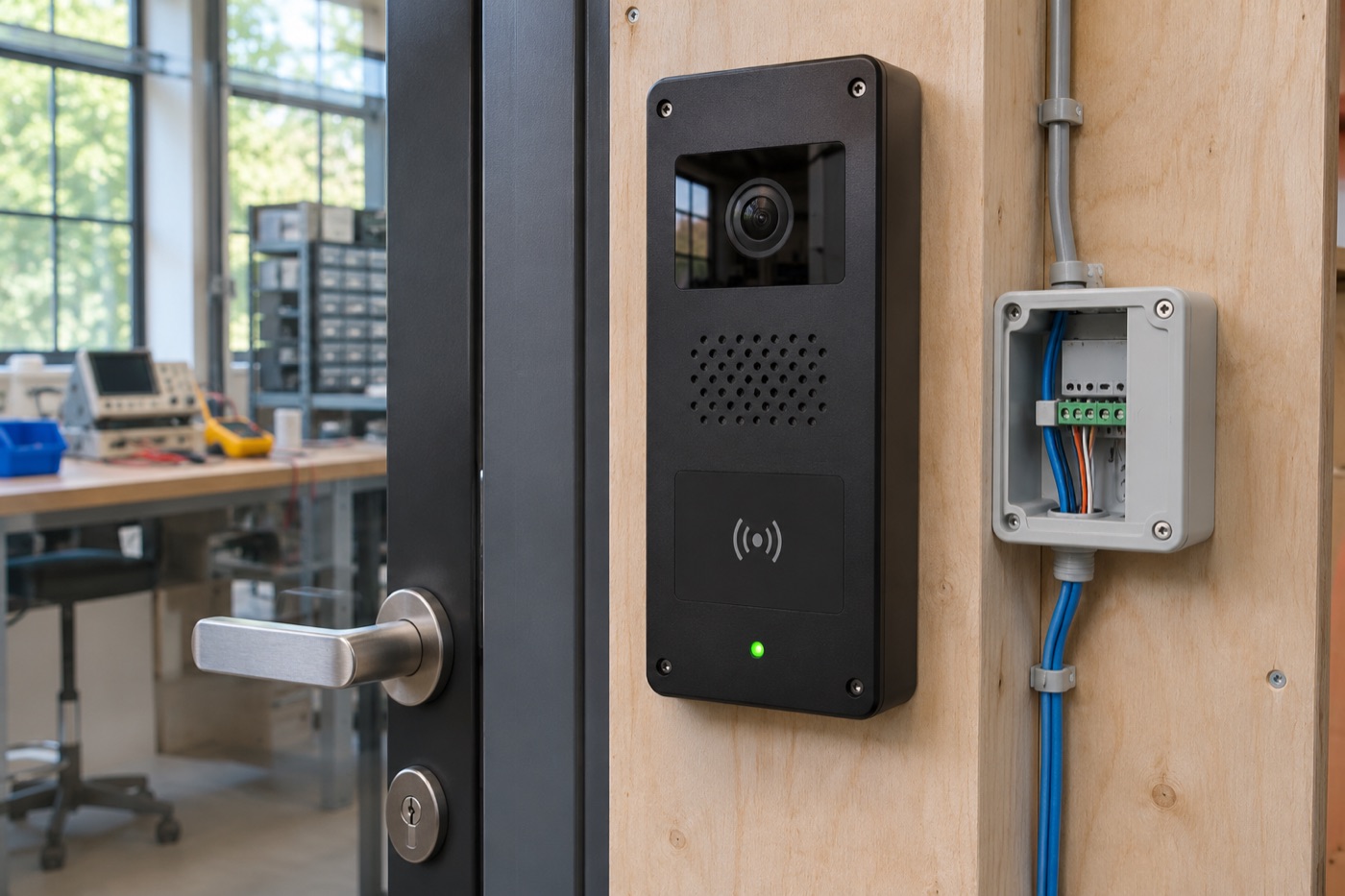
AI-generated engineering illustration.
Start With The Door That Has To Work#
Use a microcontroller-based reader or door controller for a badge-only installation with a small local credential set and a simple status interface. An RK3568-class or Genio 350-class application processor is a sensible evaluation candidate when the unit adds a touchscreen and a camera. For a door station running video, a polished user interface, and local analytics together, compare a board with a proven software stack against a higher-headroom candidate such as RK3576. Ask each supplier to demonstrate the complete call path on its shipping board.
The door should have a defined behavior when the panel is rebooting, the building network is down, or the cloud cannot be reached. Decide which functions belong to a protected door controller and which belong to the panel. Have the installation team specify the access and egress behavior required for each opening before developing the user interface.
Three Designs Worth Pricing#
| Product | First architecture to evaluate | Evidence that changes the decision |
|---|---|---|
| Badge or PIN reader | MCU reader with a separate access controller | Local credential capacity, revocation handling, door contact monitoring, and supervised reader communication |
| Touchscreen access terminal | Linux or Android application processor with separate door control | Cold boot, touch responsiveness, exact reader support, and offline credential handling |
| Video intercom with on-device analytics | Application processor with a verified camera and media stack | Sustained capture, inference, encode and playback running together in the target enclosure |
The RK3568 industrial SBC selection guide is a starting point for board I/O and platform availability. Use the Genio 350 and Genio 360 selection guide to frame a second quote for a compact connected panel. If both vendors can show the same workload, compare their maintenance commitments and camera integration effort before spending money on a faster tier. The RK3576 and RK3568 platform comparison helps identify what the higher tier would actually buy.
Split Door Control From The User Interface#
Write the interface between the panel and controller around actions and outcomes. An access request needs an identity, a decision, a reason code, and a time. A door-open event needs its own record. A granted request and an opened door are different events, and installation teams need both when diagnosing a faulty latch or contact.
Specify what happens when credentials change during a network outage. Some sites can tolerate a temporary local allowlist with a defined expiry. Others require immediate revocation and need a different communications or operational design. Include clock recovery, policy versioning, and duplicate event handling in the design review. When connectivity returns, the panel should upload its queued records with stable identifiers so retries do not create additional entries.
Keep video and access events on separate retention policies. Video clips are larger and may have a shorter permitted retention period. A full media partition should preserve enough space for the device to log essential access and health events.
Test The Camera In The Entrance#
Select an exact sensor, lens, and enclosure window before treating camera quality as a closed item. A sensor that looks good on an open bench can behave differently behind tinted or reflective cover glass. Evaluate the actual scene with strong daylight behind a visitor, side lighting at night, and the intended infrared illumination if fitted. Ask the supplier who owns the ISP tuning files and whether a replacement sensor needs a new tune.
Run preview, outbound encoding, and any local recognition at the same time. Clock the time from a call-button press to the first usable remote frame. Record the video mode, encoder settings, ISP configuration, and board build used in the test. The embedded MIPI CSI camera guide covers the sensor and driver questions to put in the board quote.
Measure A Conversation With The Lid On#
Two-way audio is an acoustic problem as much as a codec problem. Use the production-sized grille and speaker cavity. Ask someone at the door to speak while a remote operator is speaking, then repeat the test beside ventilation or street noise. Check for clipped openings, gain changes, echo, and whether either voice disappears during overlap.
Repeat the call on a constrained network and after an Ethernet link interruption. If an integrator requires SIP or ONVIF, test the named server and client versions and the exact features you plan to deploy. An ecosystem claim alone provides little evidence about audio direction, permissions, discovery across subnets, or behavior when a service restarts.
Agree on the installer handoff while designing that test. Provide an observable status for the reader, camera, audio service, and controller connection. Give each status enough context to tell a disconnected peripheral from a missing configuration. For a replacement panel, document how the installer transfers site settings and re-establishes the connection to the controller. Run the replacement procedure using the access available to a field technician. The time it takes often affects service costs more than differences in boot time on the development kit.
A Short Acceptance Test For The Supplier#
- Power the panel from the intended supply and verify startup time, display availability, and the door controller’s independent behavior.
- Present an allowed credential and a rejected credential with the network disconnected. Restore service and reconcile the event log with the local sequence.
- Run a backlit video call while the local preview is visible. Measure call setup, audio behavior, and interaction latency with the enclosure fitted.
- Restart the panel application during an ordinary idle period and during a call. Record which features recover automatically and which need operator attention.
- Update the panel software and confirm that its identity, reader configuration, and controller compatibility survive the upgrade.
Use the Android and Linux BSP evaluation checklist to record who supplies fixes for the camera, audio, and network stack. Define the remote service procedure alongside the secure boot and OTA update architecture. An authorization policy and the ability to service a failed screen should be reviewed with the customer before a volume order.
FAQ#
Can one Linux board run the camera, user interface, and reader?
A qualified board can combine those presentation functions. Choose the door control architecture separately and document its behavior during panel, communications, and power faults.
When is Android worth the extra integration?
Start with Android when a required application, accessibility workflow, or supported vendor peripheral depends on it. Confirm the Android build, update path, and accessory support on the exact hardware. A fixed Linux interface is often easier to evaluate when the product has a small number of screens and controls the entire device stack.
Source Notes#
Reviewed November 23, 2026. Primary references include Rockchip’s RK3568 Brief Datasheet, MediaTek’s Genio 350 customer case study on building security, and ONVIF’s Profile T bidirectional audio documentation. The platform shortlist and test sequence are engineering recommendations. Board qualification, acoustic results, and installation compliance require project evidence.