Thermal Design for Fanless Embedded SBCs#
Quick Answer#
Fanless SBC thermal design must be tested with the final workload, display brightness, enclosure, ambient temperature, and power input. A board that works on an open bench may throttle or fail inside a sealed HMI panel, wall box, kiosk, or industrial gateway.
Thermal design is not something to fix at the end. It should influence SoC choice, enclosure design, display brightness, memory selection, power supply layout, and software performance targets.
What Creates Heat#
| Source | Why It Matters |
|---|---|
| CPU and GPU | UI, browser, AI, video, and background services increase load |
| NPU / AI | Inference workloads can create sustained heat |
| Display backlight | Often a major heat source in HMI panels |
| Wi-Fi / cellular | Wireless modules can heat compact enclosures |
| Storage | NVMe and heavy logging add thermal pressure |
| Power supply | DC/DC losses can heat the board and enclosure |
Fanless Design Checks#
Start with the real product environment. A 25 C lab test does not prove a product can run in a 50 C cabinet. Test worst-case display brightness, CPU load, network traffic, storage writes, camera preview, AI workload, and charging or wireless operation if relevant.
For high-performance SoCs such as RK3588-class platforms, thermal validation should happen before the enclosure is frozen. For lower-power processors such as TI AM62x or i.MX8M Mini, the risk may be smaller but still real in sealed products.
Hardware Methods#
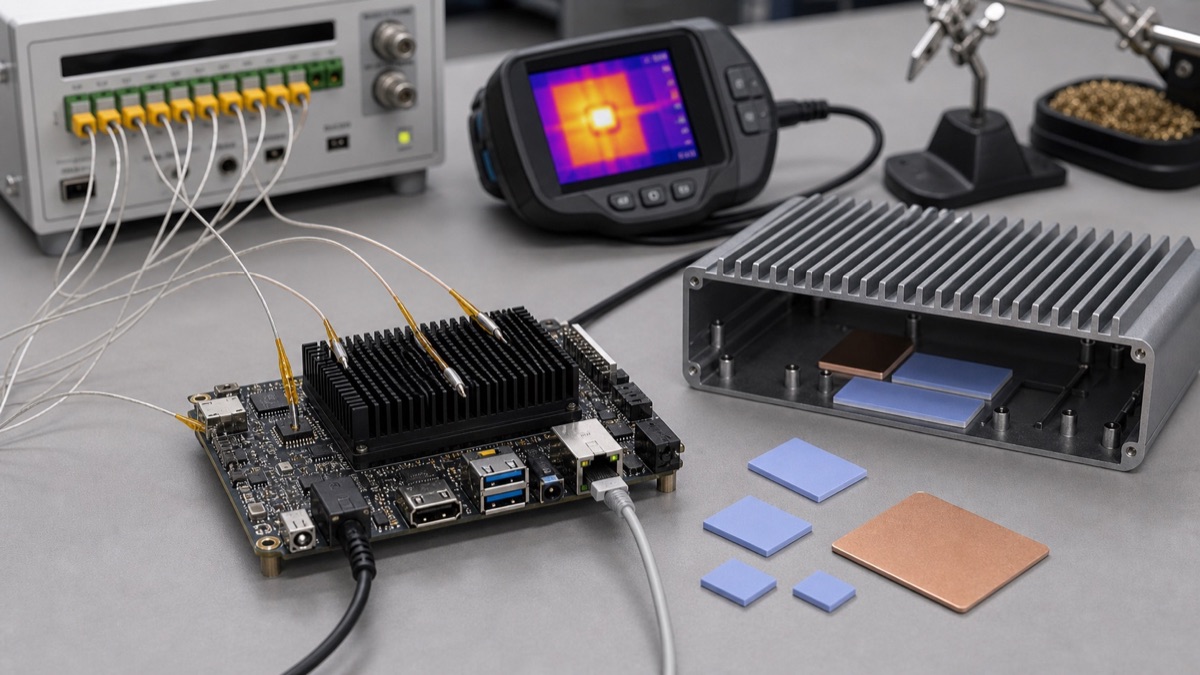
Common fanless thermal methods include heatsinks, thermal pads, heat spreaders, metal chassis contact, airflow slots, lower display brightness, and larger enclosure surface area. In many industrial panels, the enclosure is part of the heatsink.
Avoid relying only on a small stick-on heatsink if the final product has no airflow.
Software Methods#
Software can reduce thermal risk by setting CPU governors, limiting peak frequencies, reducing background services, tuning display brightness, managing camera pipelines, and using hardware acceleration properly.
Thermal throttling should be measured. A system that silently throttles may pass a short demo but fail performance requirements after one hour.
Supplier Questions#
- What ambient temperature was tested?
- Was the test inside an enclosure?
- What workload was running?
- What heatsink or heat spreader was used?
- Was display brightness included?
- Was throttling observed?
- What thermal limits are configured in the BSP?
Thermal Budget As A Selection Input#
Thermal design should be part of SoC selection, not a separate mechanical task. A platform that looks attractive on performance can become unsuitable if the final enclosure is sealed, installed in direct sunlight, mounted inside a cabinet, or placed behind a bright display. Fanless products need a thermal budget that includes the SoC, memory, PMIC, wireless module, storage, display backlight, and nearby heat sources.
High-performance SoCs such as RK3588-class platforms can work in fanless products only when the workload, enclosure, and heat path are designed together. Lower-power platforms such as AM62x or i.MX8M Mini may be easier to cool, but they can still fail if the display backlight and power supply heat the same small enclosure. Thermal margin is also a reliability issue: a product that barely passes in a clean lab may fail after dust, aging, component variation, or hotter installation environments.
The most useful thermal question is not “what is the maximum temperature?” but “what sustained workload can this product run at the worst allowed ambient temperature without throttling or shortening component life?”
Validation Workflow#
Create a repeatable thermal test profile. Include boot, normal application use, maximum display brightness, network traffic, storage writes, camera or AI workload if present, and the highest expected ambient temperature. Run the test in the real enclosure, with the intended mounting orientation and power supply. Record SoC temperature, enclosure surface temperature, throttling events, UI performance, and any kernel thermal messages.
Ask the supplier what heatsink, thermal pad, enclosure contact, and ambient condition were used for their claims. If their test was done on an open bench at room temperature, treat it as a starting point only. For production, require enough margin that the product can tolerate component variation and field conditions.
Release Decision Criteria#
A fanless design should not be released after a short open-bench test. The approval test should run the final application in the final enclosure at the highest expected ambient temperature, with maximum display brightness and the real network, storage, camera, or AI workload enabled. The report should record throttling, surface temperature, SoC temperature, and any performance loss.
If the product passes only with an unrealistic workload or open enclosure, the thermal design is still unresolved. The SoC, heatsink, enclosure, and software limits should be treated as one design decision.
Acceptance Notes#
Thermal approval should be tied to an operating profile. Record what the product is allowed to do continuously and what workload is considered temporary. If a product can only run peak AI, video, or CPU load for a short period before throttling, that limit should be reflected in the product requirement and application behavior rather than discovered after deployment.
FAQ#
Can RK3588 be fanless?
Sometimes, but it depends on workload, heatsink, enclosure, ambient temperature, and performance target.
Do low-power SoCs still need thermal testing?
Yes. Display backlight, power supply, wireless modules, and enclosure design can still create heat problems.
When should thermal testing start?
Before mechanical design and board selection are finalized.