MIPI DSI vs LVDS vs eDP vs HDMI for Embedded Displays#
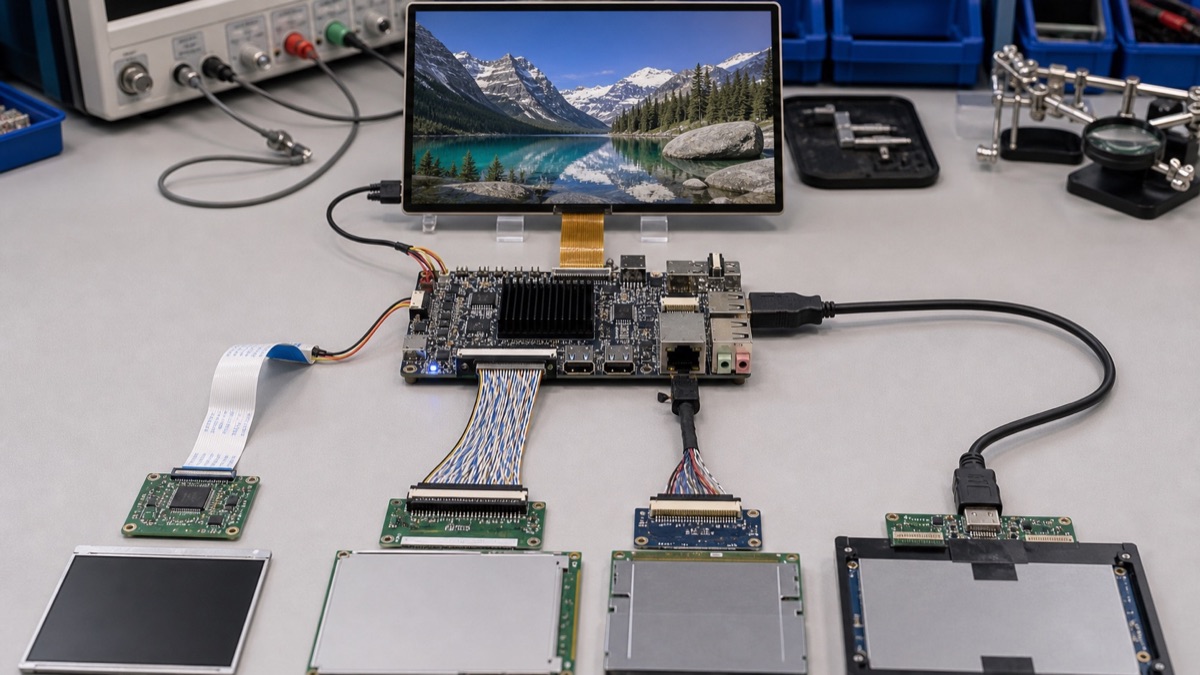
Quick Answer#
For compact Android panels, start with MIPI DSI when the board and panel are already validated together. For industrial HMI panels, LVDS is still common because it is familiar, robust, and well supported by many display vendors. For higher-resolution internal displays, eDP is often cleaner than LVDS. Use HDMI when the display is external, replaceable, or already a monitor-style product.
The best display interface is not the newest one. It is the one your SoC, board, panel, cable, enclosure, and BSP can all support without custom driver work that the project cannot afford.
Interface Comparison#
| Interface | Best Fit | Main Risk |
|---|---|---|
| MIPI DSI | Compact smart panels, Android displays, tablet-style modules | Panel driver and BSP validation |
| LVDS | Industrial HMI, medium-size TFT panels, long-running products | Cable routing, bridge chips, resolution limits |
| eDP | Higher-resolution built-in displays, modern panels | Board support and panel availability |
| HDMI | External displays, signage, test equipment, monitor output | Connector size, hot-plug behavior, consumer-style assumptions |
When To Choose MIPI DSI#
MIPI DSI is widely used for compact embedded displays because it supports high bandwidth with relatively small connectors and flexible cables. It is common in Android smart panels, handheld terminals, tablets, and smaller HMI products.
Choose it when the exact LCD panel is already tested on the target board. Do not assume that “MIPI DSI supported” means every MIPI DSI panel will work. Panel initialization, timing, lane count, backlight control, reset sequencing, and touch integration must be checked in the BSP.
When To Choose LVDS#
LVDS remains a practical choice for industrial HMI products. Many 7-inch, 10.1-inch, 12.1-inch, and 15.6-inch panels are available with LVDS, and many industrial board vendors understand the electrical and mechanical design rules.
LVDS can be a better choice when a product needs stable supply and predictable integration more than the smallest connector. It may require bridge chips on some SoCs, so confirm whether the board exposes LVDS directly or through a conversion path.
When To Choose eDP#
eDP is attractive for modern built-in displays, especially when resolution is higher and the panel ecosystem is closer to notebook or industrial panel modules. It can reduce wiring compared with older parallel interfaces, but it still requires exact panel validation.
For embedded products, ask whether the BSP supports the chosen panel, backlight control, suspend/resume, rotation, brightness adjustment, and boot logo behavior.
When To Choose HDMI#
HDMI is usually the easiest interface when the display is an external monitor or signage screen. It is useful for development, digital signage, medical carts, kiosks, and products where the display may be replaced in the field.
HDMI is less ideal for very compact sealed panels because the connector is larger and the design may need hot-plug, EDID, cable, and EMC validation.
Supplier Questions#
- Which display interfaces are exposed on the exact board?
- Which LCD panels have been tested by the board vendor?
- Is the display supported in Android, Linux, and bootloader?
- Are brightness, rotation, suspend/resume, and touch tested?
- Is a bridge chip used?
- Is the cable length realistic for the enclosure?
Product-Level Display Choice#
Display interface selection should start from the product form factor. MIPI DSI is common in compact smart panels and tablet-like devices because it supports thin internal displays and modern touch products. LVDS remains common in industrial HMI because many panel vendors, cables, and long-running designs support it. eDP is useful for higher-resolution embedded displays and more PC-like panels. HDMI is excellent for external monitors, signage, test setups, and products where the display may be replaced by the user.
The interface decision affects the carrier board, cable, EMI behavior, panel sourcing, BSP configuration, boot logo, rotation, brightness control, and touch integration. For a product that ships with a fixed internal panel, the best interface is usually the one already validated by the board supplier with that panel. For a product that connects to unknown external displays, HDMI may reduce panel integration work but increases the need to handle EDID, hot-plug behavior, and user display variation.
Industrial products should also consider serviceability. A panel that is easy to source and replace for several years can be more valuable than a slightly better-looking interface choice.
Validation Workflow#
Test the exact panel, cable, touch controller, backlight driver, rotation, sleep/wake behavior, and boot sequence. Check whether the display works from bootloader through operating system startup, not only after the desktop or Android launcher appears. For HMI products, test maximum brightness, long cable routing, enclosure grounding, and temperature. For HDMI products, test hot plug, monitor changes, resolution negotiation, and recovery after power cycling the display.
Ask board suppliers for a validated panel list, device tree or Android panel configuration, backlight control method, touch driver support, and replacement panel options. Display bring-up can consume more schedule than processor selection if it is left until late.
Release Decision Criteria#
The display interface choice is ready when the exact panel works from bootloader to application. The release test should include boot logo, operating system handoff, rotation, touch alignment, brightness control, sleep and wake, cable routing, and operation at the highest expected enclosure temperature.
If the product uses HDMI, test unknown monitors, hot plug, resolution negotiation, and power cycling. If the product uses an internal panel, keep a validated replacement panel list. Display sourcing changes late in production can cause schedule problems if the interface was never validated as a system.
FAQ#
Is MIPI DSI always better than LVDS?
No. MIPI DSI is compact and modern, but LVDS may be easier for industrial panel sourcing.
Is HDMI suitable for industrial HMI?
It can be, especially for external displays, but embedded front-panel products often prefer internal panel interfaces.
Should display choice happen before board selection?
Yes. Display and touch should be validated before the hardware path is locked.