Qualcomm QCS4290 Guide: Designing a Responsive Connected Handheld#
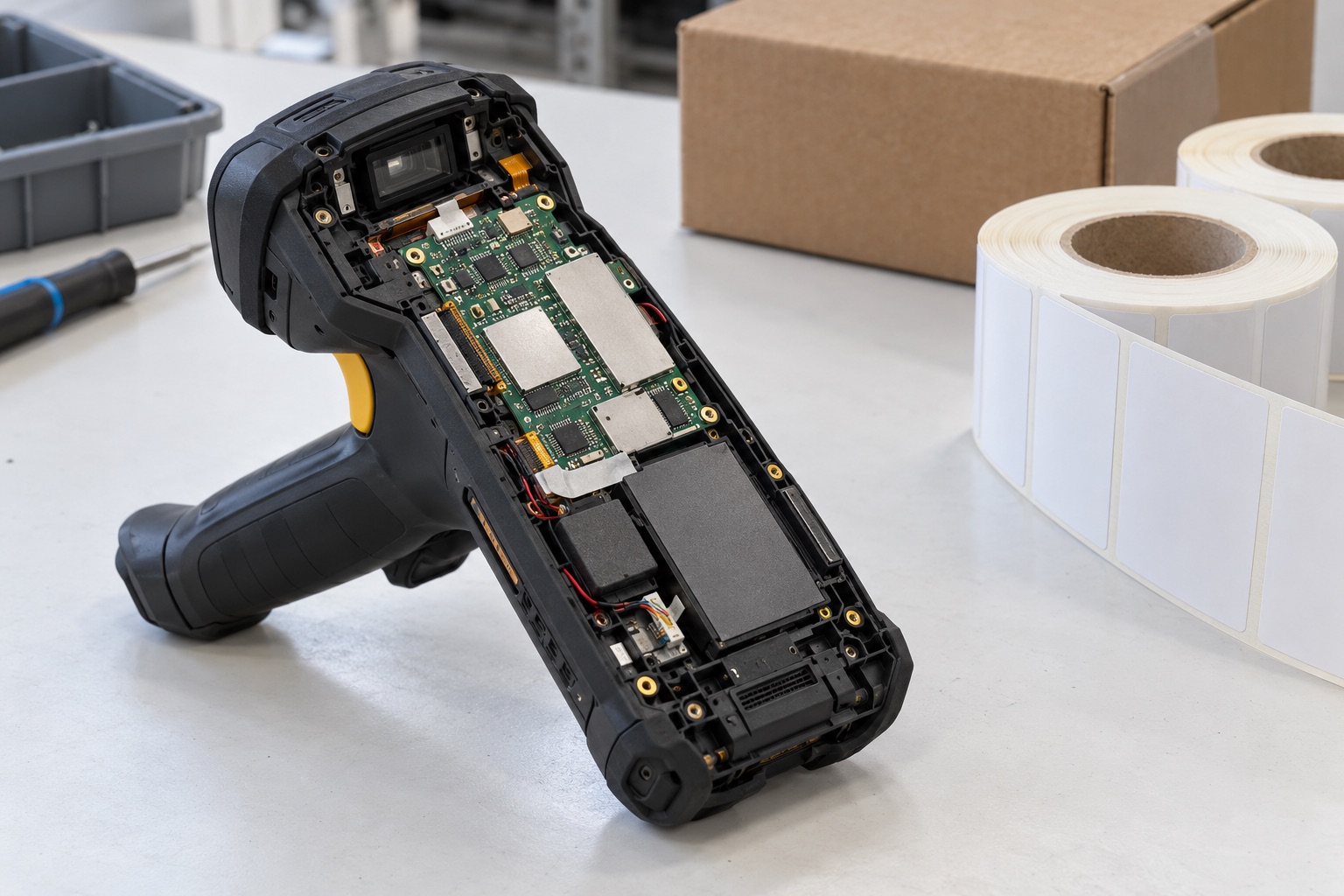
AI-generated engineering illustration, not a verified QCS4290 board photograph or a measured test setup.
Quick Answer#
QCS4290 is a candidate for connected handhelds, access terminals, and other Android-oriented embedded products where responsiveness and integration matter more than maximum compute throughput. Select the complete module and software package against the real workflow: capture input, process it, communicate with the backend, and give clear feedback to the operator.
For a warehouse scanner, scan-to-feedback latency and reliable network recovery are more useful than a generic CPU score. For a new design, current software and supply commitments require explicit verification. This article offers documentation-based engineering guidance, not measured battery life or a promise of future Android support.
Distinguish QCS4290 From Related Products#
Qualcomm’s QCS/QCM4290 product brief describes related platforms built around Kryo processing and Adreno graphics. QCS and QCM names should not be treated as interchangeable, particularly when cellular connectivity is part of the requirement.
Specify the exact module, companion connectivity components, antenna configuration, memory, and storage. Wireless features advertised at platform level may depend on additional hardware and software. A phrase such as Wi-Fi readiness does not establish the certified capabilities of every commercial board.
Ask the supplier to identify which features are included in the delivered image and which require additional integration. This includes scanning accessories, cameras, charging behavior, device management, and any commercial application services. Avoid discovering those boundaries after the enclosure and PCB are fixed.
Define The Operator Workflow#
Map one complete transaction from trigger press to confirmed outcome. Include sensor or scan-engine acquisition, decoding, validation, network exchange, database update, and audible or visual feedback. An application that feels slow may be waiting on the backend rather than the processor.
Measure several cases separately: valid item, invalid item, duplicate scan, offline operation, and delayed server response. The operator should be able to distinguish a successful transaction from a queued one. Ambiguous feedback can create duplicate work and inconsistent inventory records.
| Workflow Step | Measurement | Product Question |
|---|---|---|
| Trigger to capture | Input and acquisition delay | Does the device react immediately? |
| Capture to decoded data | Decode latency by label condition | Do damaged labels remain usable? |
| Local validation | Application response time | Is the interface blocked? |
| Backend confirmation | Network and server delay | Is progress represented accurately? |
| Feedback | End-to-end completion time | Can the operator continue safely? |
Use representative labels, lighting, gloves, and handling positions. A scanner tested only on clean printed codes at a fixed distance may perform differently in the actual workplace. Preserve those test conditions alongside software versions.
Treat The Scanning Subsystem Explicitly#
Determine whether scanning uses a dedicated engine or a camera-based software pipeline. These architectures have different power, latency, licensing, and integration costs. Do not assume that processor camera support automatically supplies production-quality barcode scanning.
For a dedicated engine, verify interface behavior, trigger timing, firmware update ownership, and error reporting. For camera scanning, validate focus, exposure, illumination, and decode software together. Both approaches need tests for repeated scans and recovery after failed acquisition.
Keep the application independent of avoidable vendor details through a narrow, documented scanner interface. That can ease future component changes without introducing a large abstraction framework. The interface should preserve useful status and errors rather than reducing every outcome to success or failure.
Validate Android As A Managed Product#
Request the supported Android baseline, patch process, and ownership of device-specific changes. Distinguish the operating system from optional proprietary services and certification programs. Their availability and commercial conditions must be confirmed for the actual product.
Test kiosk or managed-device behavior with the intended management system. Enrollment, certificate renewal, policy changes, and factory reset should work without development access. Include a recovery plan for devices that have been offline through several software releases.
Avoid building critical behavior on undocumented settings or manual setup steps. Keep configuration reproducible and record application, firmware, and management-policy versions. A production unit should not depend on an engineer remembering which menu options were changed during bring-up.
Measure Wireless Recovery And Roaming#
Test in a network representative of the deployment, including access-point placement and authentication. A strong signal at a desk does not establish performance while walking between coverage areas or operating near metal shelving.
Measure transaction continuity during roaming, reconnect, and brief outages. Decide whether incomplete operations are retried, queued, or canceled. Use transaction identifiers so reconnecting does not silently duplicate a business action.
Include coexistence with other enabled radios and peripherals. Wireless behavior can change with antenna placement, display cables, battery position, and enclosure materials. Confirm the final assembly and the applicable certification scope rather than relying only on module-level claims.
Build A Battery And Charging Test Plan#
Model the work shift as a sequence of scanning, display activity, network use, idle intervals, and charging opportunities. Measure that sequence on the full device. A continuous benchmark and a processor idle specification are both poor substitutes for representative use.
Record display brightness, radio conditions, battery age, temperature, and application configuration. Weak connectivity can increase energy use through retries and reconnects. Include this condition rather than reporting only favorable laboratory coverage.
Test low-battery behavior and power loss during transactions. If battery replacement or docking is part of the workflow, define what state survives. The device should not acknowledge a completed operation and then lose the only durable record of it.
Procurement And Long-Term Service#
Obtain current availability and maintenance commitments for the exact module and software package. Historical platform longevity statements do not automatically extend to every supplier configuration. Ask how substitutions and end-of-life notices will reach your team.
Plan spare units, recovery tools, and identity transfer rules. A replacement terminal may need certificates, management enrollment, and application configuration before it can resume work. Service time belongs in the total-cost comparison alongside board price.
Keep a release evidence bundle containing image hashes, test results, known limitations, and rollback instructions. This makes later support decisions traceable and prevents an undocumented supplier image from becoming an unmanageable dependency.
FAQ#
Does QCS4290 include the same connectivity as QCM4290? Do not assume so. Verify the exact platform and module configuration, especially for cellular requirements and companion wireless hardware.
What benchmark best represents a scanning handheld? End-to-end scan-to-feedback measurements under realistic labels, network conditions, and battery states are more useful than an isolated processor score.
Can an old support date prove current availability? No. Obtain current written terms for the module, software baseline, and replacement supply. Different vendors may have different commitments for products using the same processor.
Sources And Related Guides#
For the software decision, see Android BSP versus Linux BSP, the BSP evaluation checklist, and the secure boot and OTA guide.
Reviewed October 27, 2026 using Qualcomm’s official product brief linked above. No measured transaction or runtime claims are made. Compare the QCS610 camera guide and the Qualcomm platform overview for adjacent use cases.