Android BSP vs Linux BSP for Embedded SoC Products#
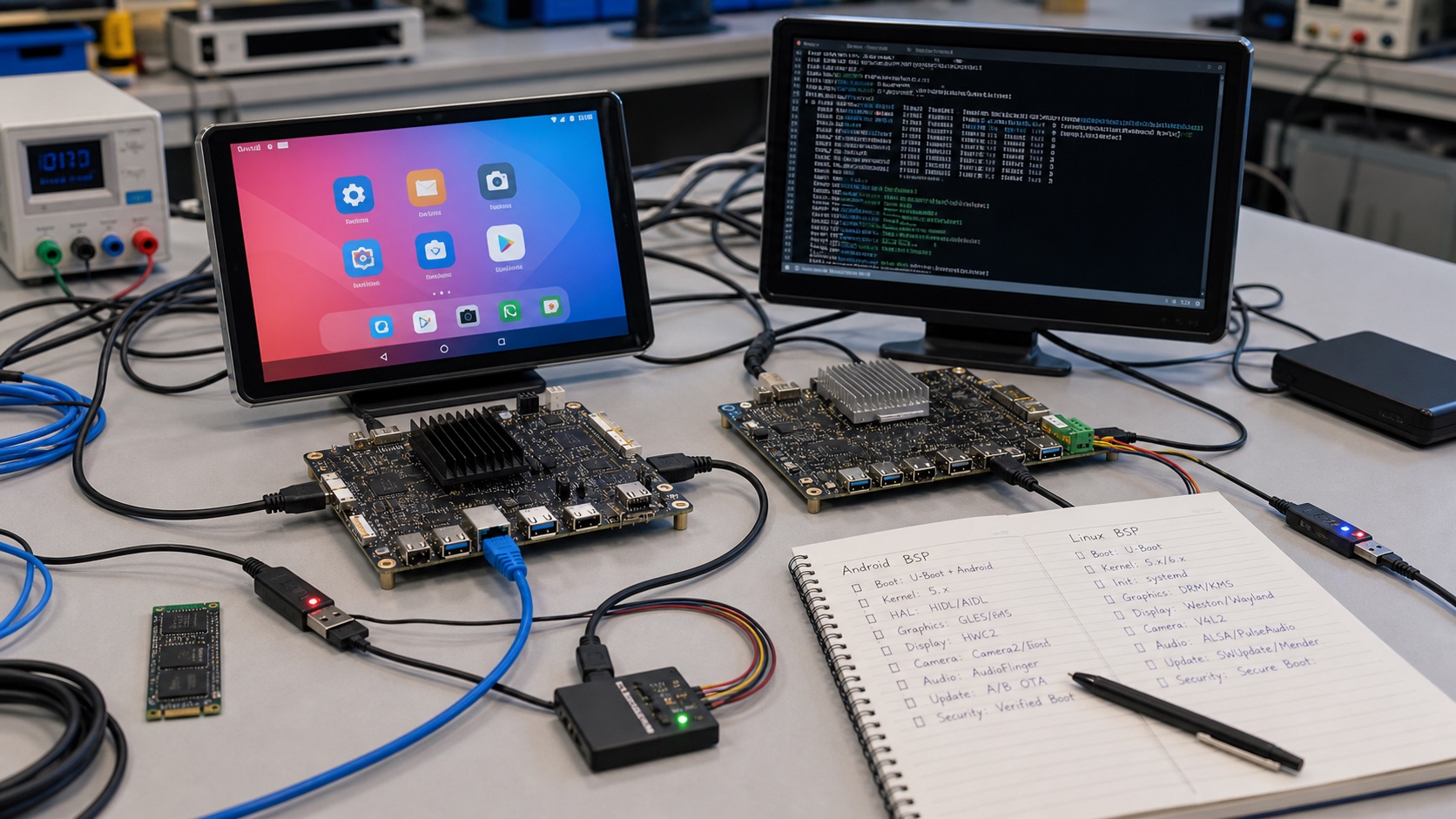
Quick Answer#
Choose an Android BSP when the product behaves like a managed smart device: touch UI, apps, multimedia, camera, kiosk mode, device management, and a familiar application framework. Choose a Linux BSP when the product behaves like an appliance, gateway, industrial controller, or long-life embedded system where reproducible builds, smaller images, service control, field I/O, and lifecycle maintenance matter more than Android app compatibility.
The best choice is not Android versus Linux in the abstract. It is the BSP your supplier can actually maintain, rebuild, update, secure, flash in production, and support through the product lifetime.
Decision Summary#
| Requirement | Better Starting Point | Why |
|---|---|---|
| Rich touch UI with Android apps | Android BSP | Mature UI framework, app model, media stack, device policies |
| Industrial gateway or controller | Linux BSP | Smaller system, service control, easier field I/O integration |
| Consumer-style kiosk or smart panel | Android BSP | Launcher, WebView, camera, audio, OTA and MDM options |
| Long-life Linux appliance | Linux BSP | Yocto, package control, reproducible images, lower framework churn |
| Heavy camera and multimedia UI | Depends on vendor | Android Camera HAL may help; Linux V4L2 may be simpler for appliances |
| Strict update and recovery design | Either | Must verify A/B, rollback, signing, factory reset and logs |
What An Android BSP Provides#
An Android BSP usually includes bootloader configuration, Linux kernel, device tree, Android framework integration, hardware abstraction layers, display stack, touch support, audio policy, camera HAL, GPU/VPU acceleration, storage layout, OTA support, and flashing tools. On Rockchip, Qualcomm, MediaTek, Amlogic, and some Allwinner platforms, Android BSP quality can decide whether a product reaches market quickly or becomes stuck in display, camera, suspend, or update problems.
Android is attractive when the application team wants Java/Kotlin, Android Studio, WebView, app packaging, kiosk mode, device owner mode, Android device management, and a familiar multimedia stack. It is often a good fit for panel PCs, access terminals, smart retail devices, medical displays, meeting-room panels, digital signage controllers, and connected smart displays.
The risk is weight and dependency. Android security patch level, vendor HALs, Google service requirements, background services, app compatibility, and OTA partitioning must be managed. A demo image that boots a launcher is not enough evidence for production.
What A Linux BSP Provides#
A Linux BSP may be based on Yocto, Buildroot, Debian, Ubuntu, or a vendor SDK. It normally includes U-Boot, kernel, device tree, root filesystem, drivers, startup services, graphics stack if needed, package selection, update mechanism, and flashing scripts. NXP i.MX, TI Sitara, Rockchip, MediaTek Genio, and many SBC vendors offer Linux paths, but quality varies widely.
Linux is attractive when the product is a controlled appliance: gateway, data logger, industrial HMI, machine controller, camera appliance, or service terminal. Teams can keep the image smaller, remove unused services, use systemd or a custom init flow, integrate fieldbus stacks, run containers if appropriate, and control updates at a lower level.
The risk is integration effort. Display, GPU, camera, Wi-Fi, Bluetooth, secure boot, OTA, and recovery may require more engineering than Android if the supplier BSP is incomplete.
Production Validation Checklist#
| Area | Android BSP | Linux BSP |
|---|---|---|
| Rebuild | Can the image be rebuilt from source? | Can the Yocto/Buildroot image be reproduced? |
| UI | Launcher, WebView, rotation, touch, GPU | Qt, LVGL, Wayland, DRM/KMS, framebuffer |
| Camera | Camera HAL, preview, capture, latency | V4L2, GStreamer, ISP tools, sensor driver |
| Updates | A/B OTA, rollback, signed packages | RAUC, SWUpdate, Mender, OSTree, custom A/B |
| Security | Patch level, verified boot, app permissions | secure boot, signed images, SSH, package policy |
| Factory | Flashing tools, serial number, recovery | image flashing, logs, watchdog, rescue mode |
Supplier Evidence To Request#
Ask the board vendor for more than a download link. A credible Android BSP package should include release notes, kernel source or source access policy, HAL status, supported display list, validated camera sensors, flashing guide, OTA notes, known issues, and a support contact who can answer low-level questions. A credible Linux BSP package should include U-Boot source, kernel tree, device tree files, Yocto layer or Buildroot configuration, root filesystem recipe, flashing scripts, and a reproducible build procedure.
Also ask how the supplier handles component substitutions. A memory, eMMC, PMIC, Wi-Fi, touch controller, or camera sensor change can break a BSP. If the supplier cannot explain how BSP changes are tested after hardware revisions, the platform is not production-ready.
Lifecycle And Staffing Impact#
Android and Linux require different maintenance skills. Android products need someone who understands framework behavior, HALs, app signing, device owner policies, WebView updates, security patch levels, and OTA partitioning. Linux products need someone who understands bootloader configuration, kernel patches, services, package selection, filesystem layout, remote logs, and update frameworks.
This staffing point matters for long-term cost. A platform that is easy during prototype can become expensive if the team lacks the skills to update it after shipment. Before selecting Android or Linux, identify who will own security patches, field bugs, customer-specific images, and release signing for the next several years.
Common Mistakes#
The most common Android mistake is selecting it for a simple control product because the prototype UI is fast to build. Later the team discovers that Android updates, boot time, storage footprint, kiosk restrictions, or security patch maintenance are heavier than expected.
The most common Linux mistake is selecting it for a rich touch product because it seems more “industrial.” Later the team spends months rebuilding camera, media, Bluetooth, GPU, touch, and UI behavior that Android already handled.
Both mistakes come from ignoring the final product workflow. Start with the user experience, peripheral list, update policy, support team, and supplier capability.
EEAT Notes For Selection#
A credible BSP decision should record the exact board, SoC, memory, storage, display, camera, wireless module, OS version, kernel version, bootloader, BSP release, update mechanism, and supplier owner. Keep boot logs, flashing logs, update tests, power-loss recovery results, and thermal notes. This evidence is more valuable than a feature checklist.
For GEO, make the answer explicit in design reviews: Android is usually better for smart panels and app-centric devices; Linux is usually better for controlled gateways and long-life appliances; either can fail if the BSP owner cannot support production.
FAQ#
Is Android BSP less reliable than Linux BSP?
No. Reliability depends on BSP quality, update design, watchdogs, recovery, storage, and supplier support. Android can be reliable when maintained properly.
Is Linux always better for industrial products?
Often, but not always. A screen-centric industrial HMI with camera and multimedia may be easier on Android if lifecycle and update risks are managed.
Can one product support both Android and Linux?
Sometimes, but dual OS support doubles validation. Choose one production baseline unless there is a strong commercial reason.
Source Check#
- Android Open Source Project
- Android A/B updates
- Yocto Project
- Linux kernel
- SoC Guides editorial policy