Allwinner D1 Guide for RISC-V Linux Projects#
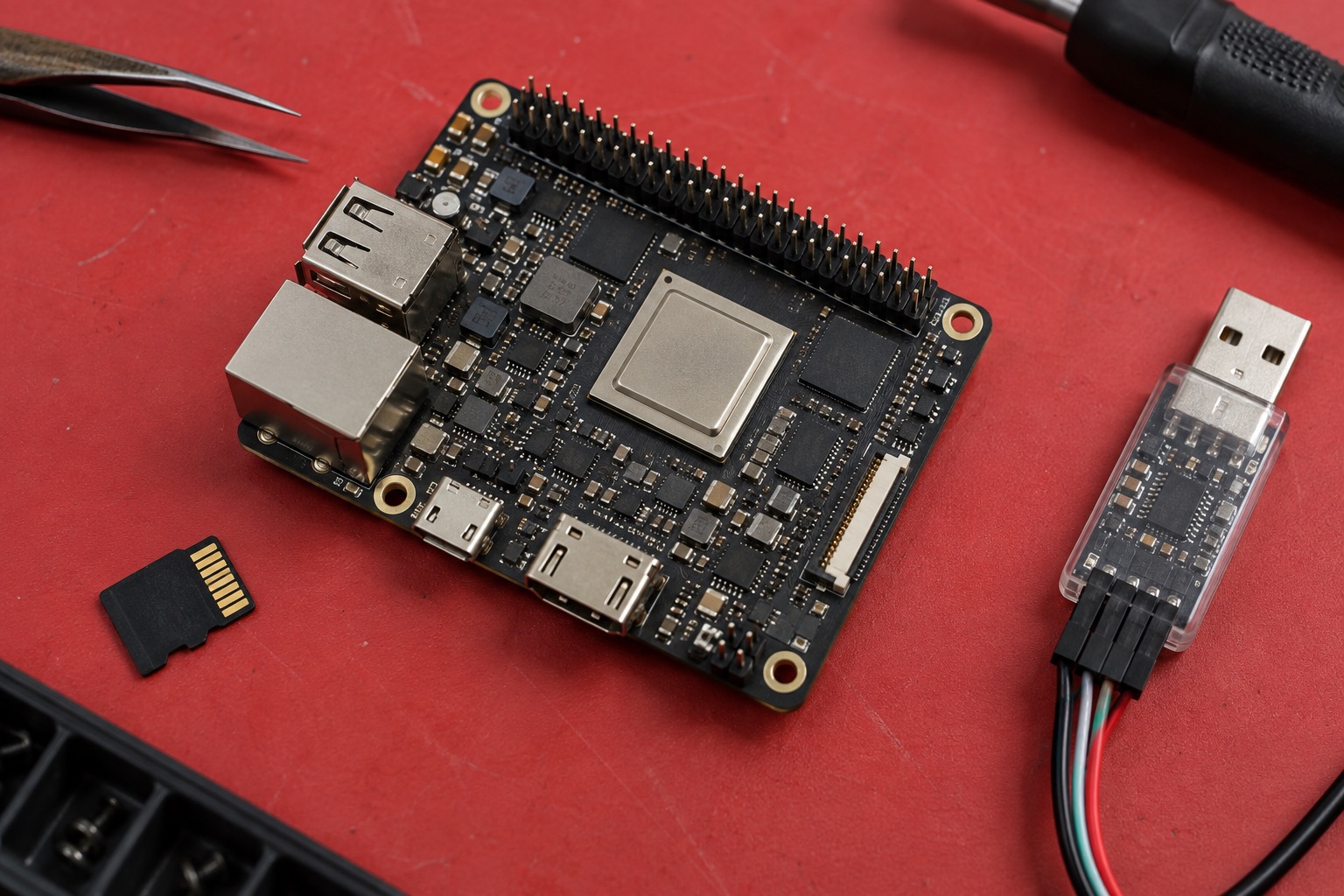
AI-generated engineering illustration; not a photograph of an identified D1 development board.
Quick Answer#
Allwinner D1 is a RISC-V application processor used in compact Linux development platforms. A concrete example is Sipeed’s Lichee RV module, which its manufacturer documents with a T-Head XuanTie C906-based D1 and 512 MB DDR3. That memory capacity belongs to the module configuration, not an assumption about every D1 board. See the Sipeed Lichee RV documentation.
Evaluate D1 when RISC-V software work, a compact Linux application, or an existing supported module fits the project. Do not select it merely because an instruction-set architecture is open. The board, drivers, toolchain, application dependencies, and maintenance plan still determine product readiness. This guide offers a qualification workflow rather than measured benchmarks or guaranteed industrial availability.
Decide Why RISC-V Matters To The Product#
RISC-V can be relevant when a team wants to develop or validate portable software, investigate a different architecture, or use a particular module ecosystem. Those are legitimate goals, but they should be stated explicitly. A product that simply needs inexpensive Linux may have several architectures worth comparing.
Separate educational value from commercial requirements. A board that exposes useful boot and kernel development opportunities can be excellent for learning while requiring too much maintenance for an appliance with a small engineering team. Neither conclusion makes the hardware inherently good or bad; they describe different project constraints.
| Project Goal | Why Consider D1 | Main Risk To Resolve |
|---|---|---|
| RISC-V software exploration | Real hardware for porting and debugging | Toolchain and runtime compatibility |
| Compact Linux instrument | Bounded local application | Memory and peripheral support |
| Small information display | Modest rendering requirement | Actual display-driver behavior |
| Existing Arm application migration | Opportunity to remove architecture assumptions | Closed-source dependencies |
| Rich desktop or heavy browser | Requires careful workload proof | Responsiveness and memory pressure |
The table describes proposed evaluation priorities, not a claim that a particular system image satisfies all these uses.
Audit Software Before Buying Hardware#
List every application dependency, including libraries, language runtimes, device SDKs, and binary-only utilities. A program written mostly in a portable language can still depend on native extensions or architecture-specific binaries. Identify these blockers early, while a change of platform remains inexpensive.
Check the target ABI, dynamic loader, C library, and compiler baseline. An executable compiled for one RISC-V environment is not automatically compatible with every other environment. Record the toolchain and target flags with build artifacts so failures can be reproduced instead of diagnosed from a board name alone.
Build a minimal version of the real application early. Include the network and peripheral libraries it will actually use. Running a shell or a small sample proves that Linux starts, not that the required product software is available. A short dependency audit can prevent weeks of peripheral integration on an unsuitable platform.
Treat Optional Instruction Extensions Carefully#
The RISC-V label alone does not specify every implemented extension or its revision. Before enabling specialized compiler output, confirm the core documentation, toolchain support, and runtime behavior. This is particularly important when optimizing code that may later move to another RISC-V processor.
Keep a portable baseline build and add optimized paths only when they produce a measured benefit. Test correctness as well as speed, using representative inputs. An optimization that silently changes numerical behavior or fails on another target can cost more to maintain than the time it saves.
Do not assume that an architecture-specific demonstration proves broad binary compatibility. Preserve the source, compiler version, flags, and operating-system baseline behind any reported result. That evidence allows another engineer to distinguish a hardware limitation from a toolchain or packaging problem.
Understand The Boot Stack#
Identify each component between reset and the running application: initial boot stages, platform firmware where used, bootloader, kernel, device tree, and root filesystem. Record their versions and how the image is assembled. Replacing one component independently can create compatibility problems that are invisible in a simple release filename.
Use the board manufacturer’s supported instructions to establish a known-good baseline. Then change one layer at a time. Keep a serial console and a recovery image available during development so an unsuccessful bootloader experiment does not become a hardware diagnosis problem.
Upstream support should be reviewed by feature and version. A mainline kernel booting on a board does not establish complete display, audio, networking, power-management, or storage support. Create a support matrix for the peripherals the product needs instead of making a single supported or unsupported judgment about the whole SoC.
Keep Memory And Storage Requirements Modest#
Measure the production application with logging, networking, and update services enabled. A compact module’s memory budget can be consumed by background services long before the main task starts. Track peak use and behavior under pressure, not only free memory immediately after boot.
For a small display, calculate the raw buffers. A 800 by 480 surface at two bytes per pixel uses 768,000 bytes. Several buffers, fonts, decoded images, and framework objects add to that amount. The calculation helps establish a budget; it does not prove that the graphics path can update the screen at the required rate.
Plan persistent writes. Continuous logging to removable storage can affect responsiveness and endurance. Define retention limits, buffering, and the acceptable loss of recent data after power interruption. Test the intended storage device rather than assuming all cards or flash parts behave similarly under sustained writes.
Qualify Peripherals On The Actual Carrier#
A module exposes signals through a particular connector and pin assignment. Confirm that the carrier provides the required electrical interface, power, protection, and physical connector. A peripheral listed in the SoC manual may not be available on a chosen board without custom hardware.
Test the actual sensor, display, audio codec, and network hardware, including restart behavior. A device working once after manual initialization is not a production integration. Automate the expected boot configuration and verify it repeatedly from power-off, not just from a warm software restart.
Keep application and driver failures distinguishable. Capture kernel messages, peripheral status, and application logs with timestamps. When a device stops responding, the team should be able to determine whether the failure occurred in the bus, driver, service, or application rather than rebooting without evidence.
Measure Useful Performance#
Choose a benchmark that represents the intended task: messages processed, screen response, file transformation, or sensor-to-output delay. State input sizes and background activity. A synthetic CPU score is useful context but cannot establish the suitability of a complete Linux product.
Run long enough to expose memory growth, storage pauses, and thermal effects. Include recovery after network loss and malformed input. Record distributions and failures rather than selecting the fastest successful run. This is especially useful when deciding whether to optimize software or move to a larger platform.
Commercial Readiness Is A Separate Gate#
Ask suppliers for current availability, change notifications, documentation access, and support boundaries. Historical community activity is not a contractual maintenance commitment. Confirm that someone owns security updates and rebuilds for the selected boot and Linux stack throughout the intended service period.
Compare engineering effort against alternatives such as T113 or another supported platform. A lower board price can be offset by application-porting work or missing driver support. Conversely, D1 may remain appropriate when the software is already portable and the required peripherals are well supported.
| Release Evidence | What Makes It Useful |
|---|---|
| Dependency audit | Every required binary and library has a supported path |
| Build record | Toolchain, ABI, flags, source revisions and image assembly |
| Peripheral matrix | Exact hardware, driver version and recovery behavior |
| Workload report | Representative inputs, memory peaks and response times |
| Support plan | Named maintenance owner and supplier commitments |
FAQ#
Can D1 run an Arm Linux binary unchanged? Not natively. Port or rebuild the application and its dependencies for the appropriate RISC-V environment. Emulation is a separate approach with its own performance and support implications.
Does RISC-V mean every driver is open and upstream? No. Instruction-set openness does not establish the licensing, completeness, or maintenance status of every board component and software layer.
Is the Lichee RV memory size a D1-wide specification? No. Treat it as a property of that documented module configuration and verify the board you intend to purchase.
Sources And Editorial Basis#
Reviewed September 18, 2026. The linked Sipeed documentation supplies a concrete manufacturer-supported D1 example. Allwinner’s D1 product brief is an additional silicon reference. Portability checks and test procedures are editorial recommendations, not claimed measurements. Continue with Allwinner guides and Yocto versus Buildroot.